
1. Overview
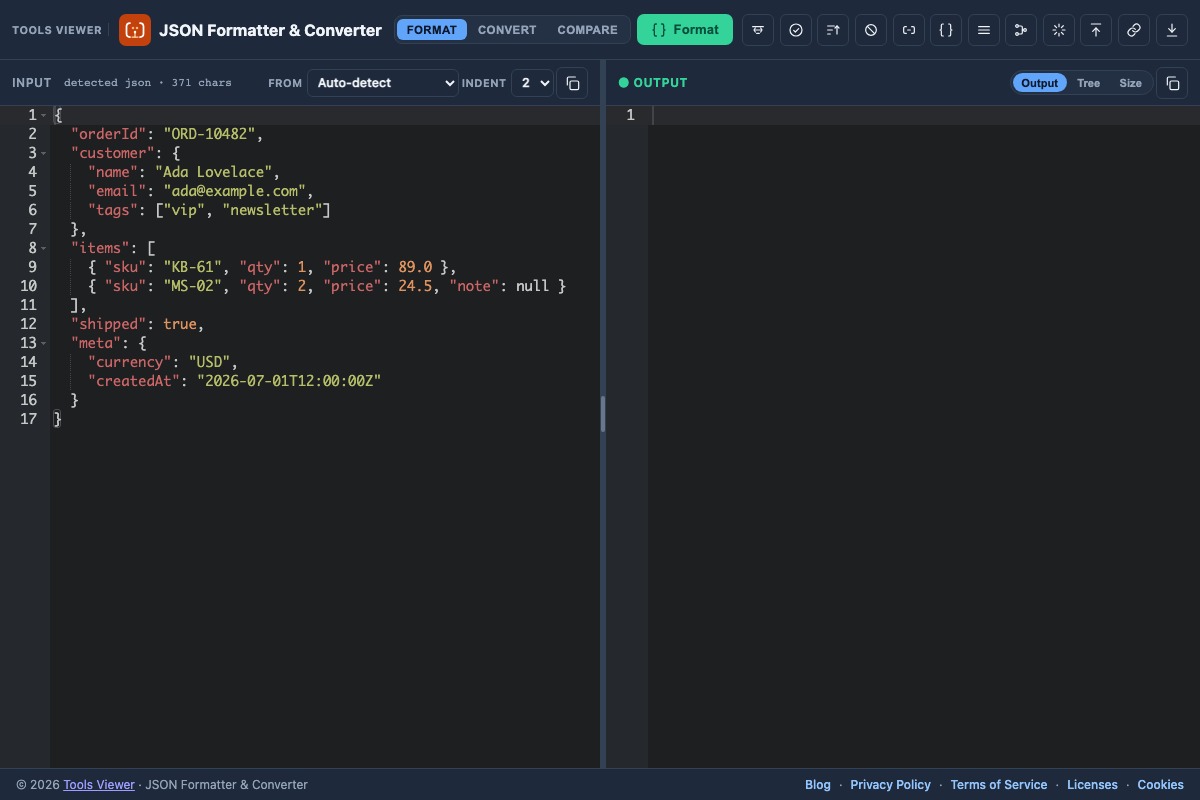
JSON Formatter & Converter is a free browser tool for reading, editing, validating, comparing, and converting JSON. Paste data, pretty-print or minify, convert to XML / CSV / TSV / YAML / string, compare two documents, browse a tree outline, then download the result. Core work runs on your device.
2. All features
Everything below is available in the same workspace — use the mode toggle (Format / Convert / Compare) and toolbar actions.
JSON tools
- JSON Formatter / Pretty Print / Editor / Viewer / Reader / Parser — edit in Ace, format with indent, and read structured output.
- JSON Validator — Validate reports syntax errors with line/column when available.
- JSON Minify / One line — compress whitespace for shipping payloads.
- JSON Stringify Online — escape the whole document as a JSON string literal; Parse string unwraps it.
- JSON Sorter — Sort keys recursively.
- JSON Compare — structural path-level diff.
Converters
- JSON → XML
- JSON → CSV
- JSON → TSV
- JSON → YAML
- JSON → String (escaped)
Unique extras
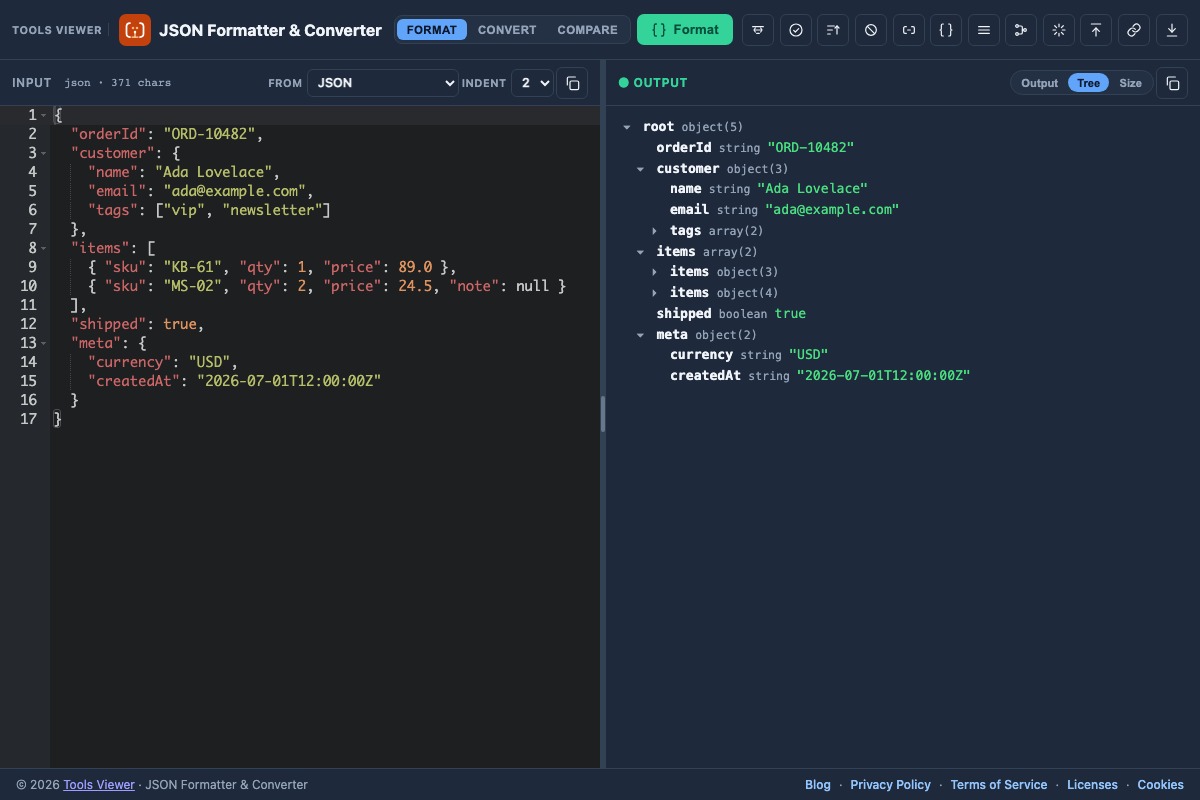
- Tree outline — collapsible object/array browser.
- Flatten / Unflatten — path → value maps.
- Strip nulls — remove null fields recursively.
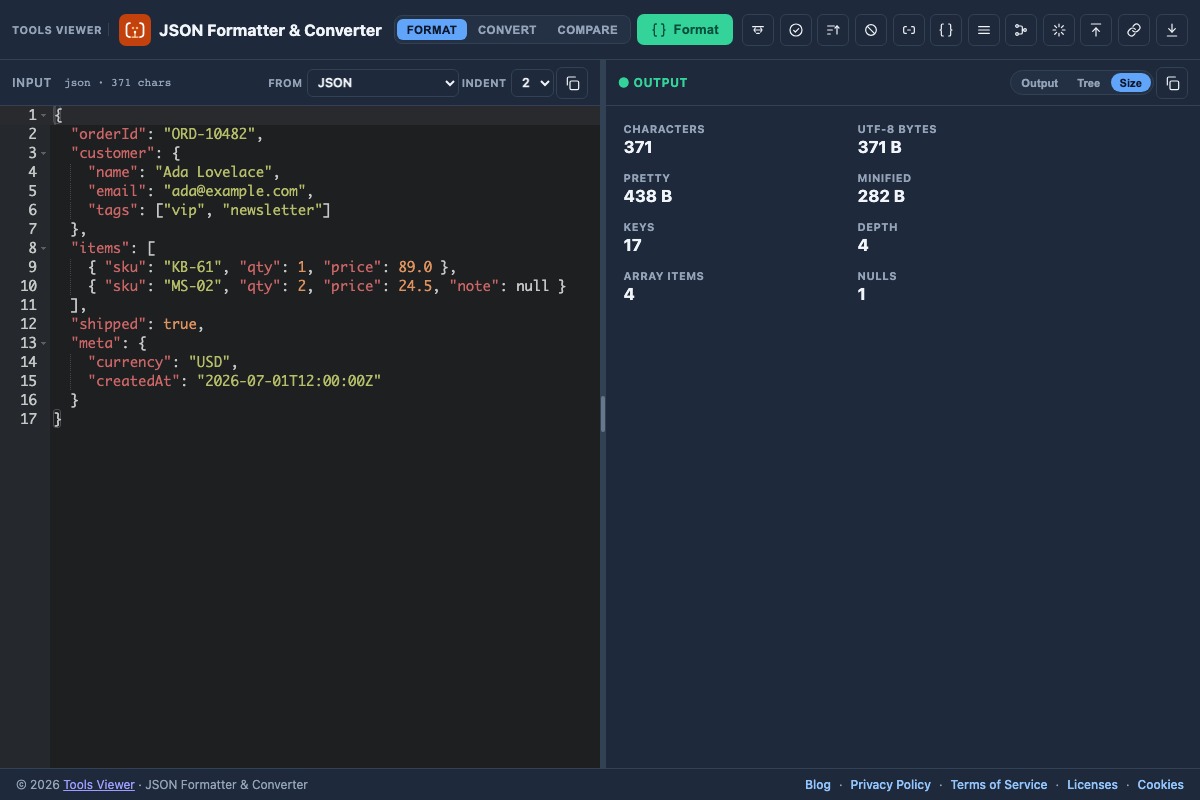
- Size calculator — pretty vs minified bytes.
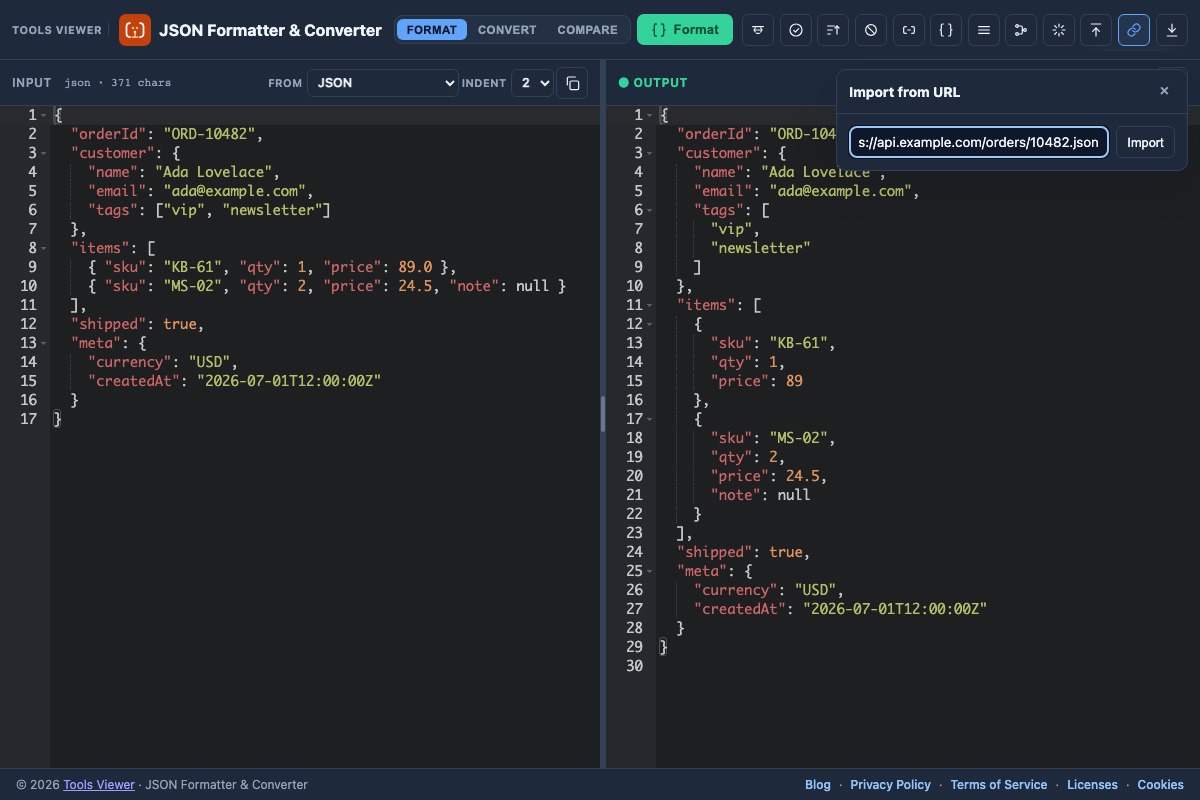
- Import URL — fetch public CORS-enabled JSON.
- Also: Python / JS / JSONL / CSV / XML → JSON, plus TypeScript, C#, Java, and Lua exports.
3. Workspace layout
The interface focuses on a few key parts:
- Modes — Format, Convert, or Compare.
- Editor — paste or edit input (JSON A in Compare).
- Output / JSON B / Tree / Diff / Size — result tabs for text, outline, compare report, and stats.
- Actions — Format/Convert/Compare, Minify, Validate, Sort, Stringify, Flatten, Download.
4. Format, minify & validate
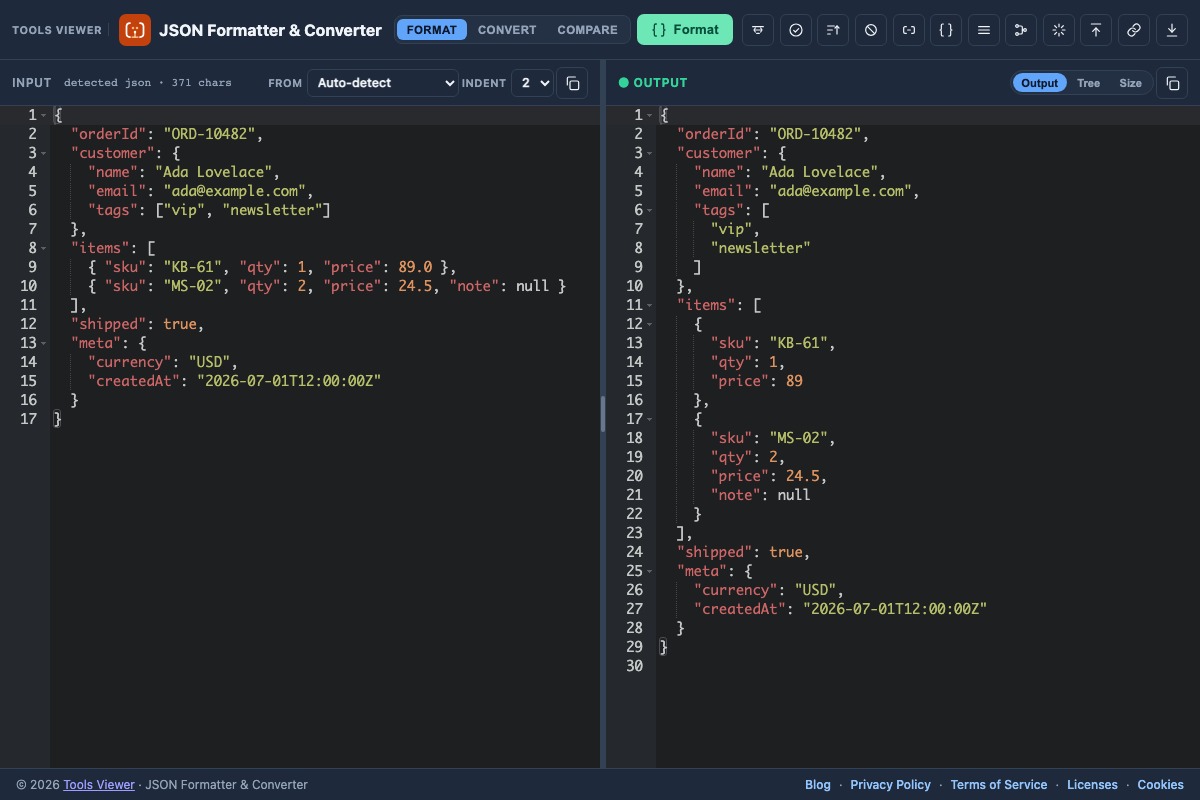
Use Format to pretty-print valid JSON with indentation. Use Minify for one-line JSON. Validate confirms syntax and surfaces line/column errors when available.
- Fix trailing commas, quotes, and unquoted keys first.
- For Python literals or JS object pastes, set the matching input format instead of forcing strict JSON.
- See also JSON formatter online and validate JSON online.
5. Converters (XML, CSV, TSV, YAML, string)
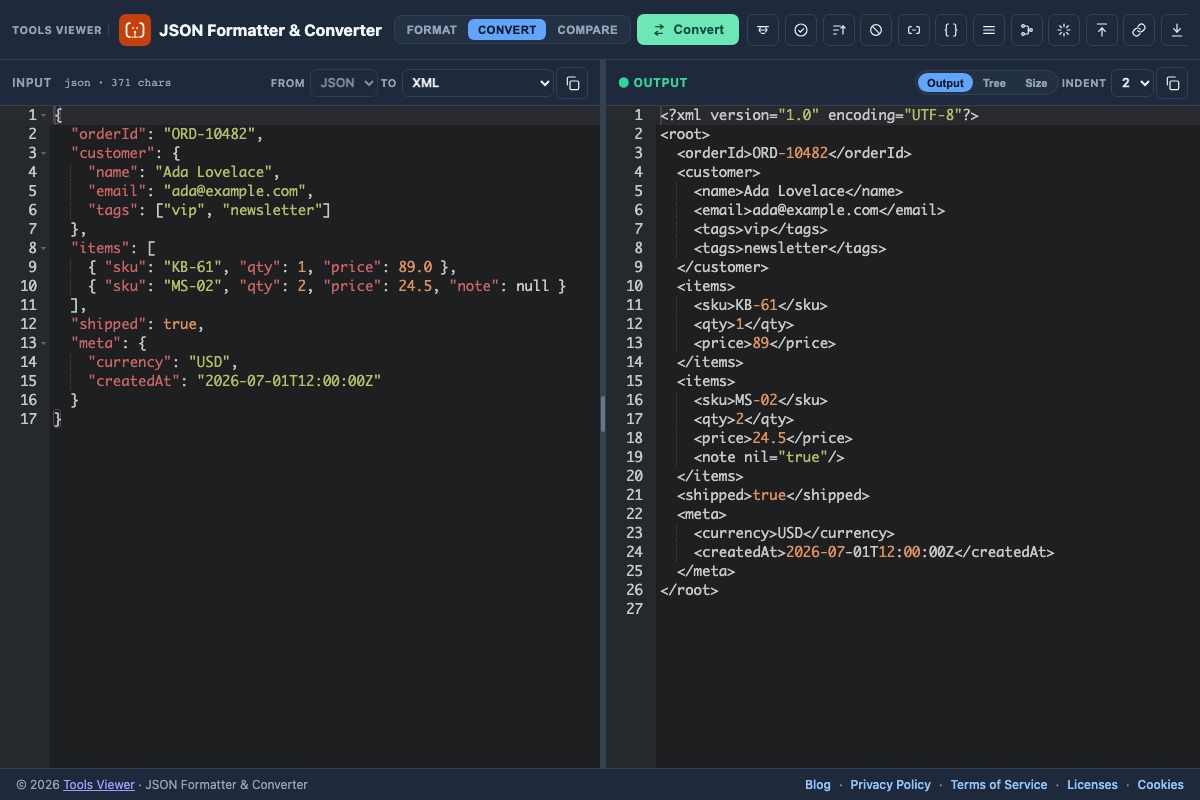
Open Convert, keep From as JSON, pick a To format, then run Convert. Built-in converters include:
- JSON to XML — element tree from objects / arrays.
- JSON to CSV — tabular rows from object arrays.
- JSON to TSV — tab-separated export for sheets.
- JSON to YAML — indented YAML document.
- JSON to String — escaped JSON string literal (stringify online).
Extra outputs: TypeScript interfaces, C# / Java classes, Lua tables, JS / Python literals, and plain text. Format mode also accepts Python, JSONL, CSV, and XML as inputs into JSON.
6. Compare, tree & unique extras
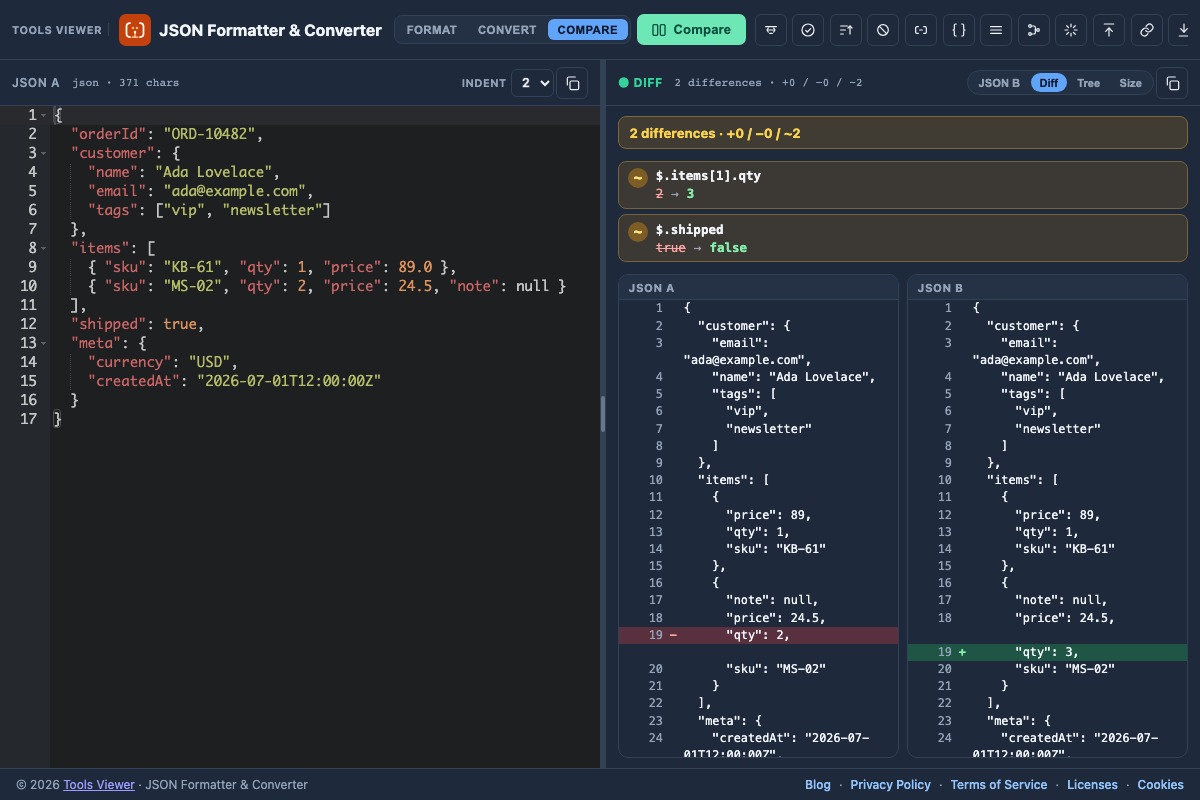
Compare mode places JSON A on the left and JSON B on the right. Run Compare to open the Diff tab with a path-level report (+ added, − removed, ~ changed).
Use the Tree tab for a collapsible outline (viewer). Stringify / Parse string handle escaped JSON strings. Flatten / Unflatten turn nested documents into path maps and back. Sort keys and Strip nulls tidy payloads before export.
7. Import URL & download
Import URL fetches a public http(s) JSON or text resource from your browser. The remote host must allow CORS; private or blocked APIs will fail in the browser for security reasons. Tools Viewer does not proxy or store that content on our servers.
After formatting or converting, use Download to save a file locally (JSON or the selected output extension such as .xml, .csv, .tsv, .yml, .ts, or .cs).
8. Size calculator
The size panel reports characters, UTF-8 bytes, pretty vs minified size, key count, depth, and null counts for the current document. Use it to see how much space Minify saves before you ship a payload.
Longer walkthrough: JSON size calculator.
9. Privacy
Formatting, validation, conversion, compare, and tree browsing run in your browser. No signup is required. Import from URL contacts the remote host from your browser subject to CORS — that fetch is not proxied through Tools Viewer servers.
10. Detailed guides
Longer how-tos live as blog articles. Browse the full JSON formatter blog category, or open a post below:
JSON Formatter Online — Pretty Print Free
Format and pretty-print JSON online in your browser. Minify, validate, download .json — free JSON formatter, no signup.
Read guidePython Dict to JSON Online — Free Converter
Convert a Python dictionary or list to JSON online. Supports True/False/None and single quotes as a best-effort paste converter — free in your browser.
Read guideJSON Size Calculator — Bytes & Minify Savings
Calculate JSON size online: characters, UTF-8 bytes, pretty vs minified size, depth, and key counts — free in your browser.
Read guideConvert JSON to XML Online (and XML to JSON)
Convert JSON to XML or XML to JSON online in your browser. Download the result — free converter, no signup.
Read guideJSONL to JSON — Convert JSON Lines Online
Convert JSONL (JSON Lines / NDJSON) to a JSON array online. Format, minify, or export — free in your browser.
Read guideValidate JSON Online — Fix Syntax Errors Fast
Validate JSON online with clear line/column errors. Fix trailing commas and quotes in your browser — free JSON validator, no signup.
Read guideCompare JSON Online — JSON Diff Tool
Compare JSON online with a structural path-level JSON diff. Paste A and B, review added, removed, and changed values side by side — free, no signup.
Read guideMinify JSON Online — JSON to One Line
Minify JSON online to compact one-line JSON. Compare pretty vs minified size in the size panel — free browser JSON minifier, no signup.
Read guideConvert JSON to YAML, CSV & TSV Online
Convert JSON to YAML, CSV, or TSV online, and convert CSV input back to JSON. Best-effort browser converter for common data shapes.
Read guideJSON Stringify Online — Escaped JSON String
Stringify JSON online into an escaped JSON string, parse strings back to JSON, or convert output to JSON string — free in your browser.
Read guideJSON Tree Viewer Online — Browse JSON Outline
View JSON as a tree online with an outline for objects, arrays, keys, and values. Inspect nested payloads in your browser, free with no signup.
Read guideFlatten JSON Online — Flatten & Unflatten
Flatten JSON online into dot and index paths like user.name and items[0].sku, then unflatten back to nested JSON — free in your browser.
Read guide11. FAQ
FAQ
Is this JSON formatter free?
Yes. JSON Formatter & Converter is free on ToolsViewer with no signup. Format, validate, convert, compare, import from URL, and download in your browser.
Does the tool upload my JSON?
Formatting, validation, and conversion run in your browser. Import from URL fetches the remote resource directly from your browser to that URL — Tools Viewer does not proxy or store that content on our servers.
Which JSON tools are included?
Formatter, validator, editor/viewer, pretty print, minify / one-line, stringify, parser, sorter, compare, tree outline, flatten/unflatten, size calculator, plus converters to XML, CSV, TSV, YAML, and escaped string.
Can I convert JSON to XML, CSV, TSV, YAML, or a string?
Yes. Open Convert mode, choose the To format (XML, CSV, TSV, YAML, JSON string, and more), then run Convert.
Can I compare two JSON documents?
Yes. Compare mode shows a structural path-level report of added, removed, and changed values between JSON A and JSON B.
Does it validate JSON and show errors?
Yes. Invalid JSON shows a clear error message with line and column when the browser reports a position.
Is there a JSON size calculator?
Yes. The size panel shows characters, UTF-8 bytes, pretty vs minified size, key count, depth, and null counts for the current document.