
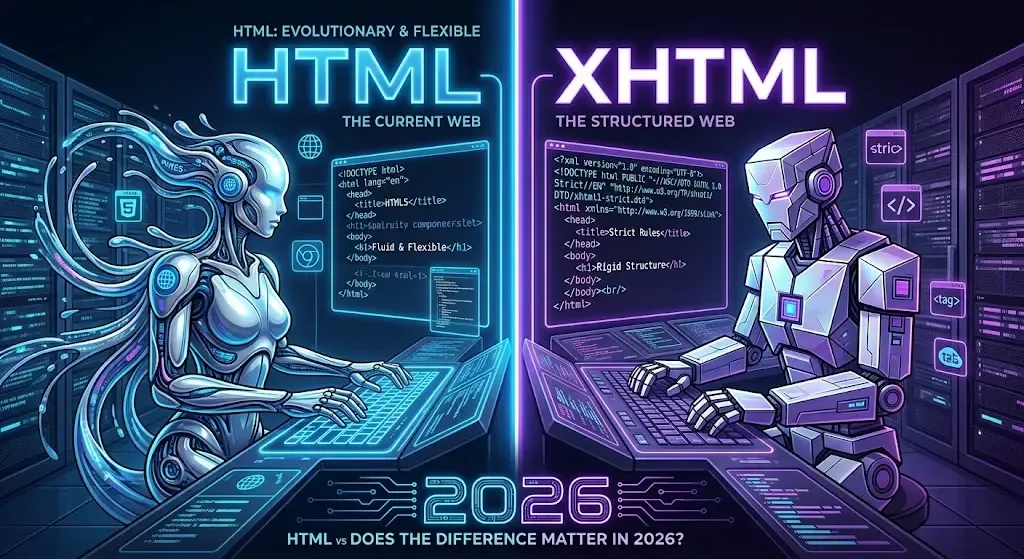
HTML and XHTML are both markup languages used to build web pages, but XHTML is a stricter, XML-based version of HTML that requires perfectly well-formed code - every tag closed, properly nested, and lowercase - while HTML is more forgiving and allows browsers to guess at and fix minor mistakes. In 2026, XHTML is effectively obsolete for new projects: HTML5 absorbed the useful parts of XHTML's discipline while keeping HTML's flexibility, and virtually no modern site is built in XHTML from scratch. Understanding the difference is still useful, though, especially if you maintain an older codebase or want to understand why modern HTML looks the way it does.why modern HTML looks the way it does.
What Is HTML?
HTML (HyperText Markup Language) is the standard markup language for creating web pages. It has existed since the early 1990s and has gone through several major versions, from HTML 2.0 up through today's HTML5, the version used across the modern web.
HTML was designed to be easy to write and, just as importantly, easy for browsers to render even when the code isn't perfect. If you forget to close a tag or use inconsistent capitalization, most browsers will still display the page, quietly correcting or ignoring the error. This forgiving nature made HTML accessible to beginners and fast to write, but it also meant that "working" HTML code wasn't always technically correct code.
What Is XHTML?
XHTML (Extensible HyperText Markup Language) is a reformulation of HTML as an XML application. It was introduced in 2000 as part of an effort to make web markup stricter, more consistent, and easier for machines to parse reliably.
Because XHTML is based on XML, it inherits XML's strict rules: every element must be properly closed, tags must be lowercase, attribute values must be quoted, and the document must be "well-formed" - meaning it follows XML's syntax rules exactly. Unlike HTML, browsers are not supposed to forgive XHTML errors; in true XHTML rendering mode, a single unclosed tag can cause the entire page to fail to display.
HTML vs XHTML: Key Differences
| Topic | HTML | XHTML |
|---|---|---|
| Based on | SGML (with HTML5 defining its own parsing rules) | XML |
| Syntax strictness | Forgiving — browsers correct minor errors | Strict — errors can break the page |
| Tag closing | Optional for some elements (e.g. <li>, <p>) | Required for every element |
| Case sensitivity | Not case-sensitive (<DIV> and <div> both work) | Must be lowercase |
| Attribute values | Quotes often optional | Quotes always required |
| Self-closing tags | Not required (<br> is valid) | Required (<br />) |
| Error handling | Browser attempts to render anyway | Can stop rendering entirely |
| Current relevance (2026) | Standard for virtually all websites | Largely obsolete, replaced by HTML5 |
Syntax Differences Explained
The differences between HTML and XHTML come down to a handful of specific rules. Seeing them side by side makes the contrast much clearer.
Closing Tags
In HTML, some elements don’t strictly need a closing tag, and browsers will still render the page correctly:
<!-- Valid in HTML -->
<p>This is a paragraph
<p>This is another paragraph
In XHTML, every element must have an explicit closing tag:
<!-- Required in XHTML -->
<p>This is a paragraph</p>
<p>This is another paragraph</p>
Lowercase Tags and Attributes
HTML doesn’t care about case:
<!-- Both valid in HTML -->
<DIV CLASS="box">Content</DIV>
<div class="box">Content</div>
XHTML requires everything in lowercase:
<!-- Required in XHTML -->
<div class="box">Content</div>
Quoting Attribute Values
HTML allows unquoted attribute values in many cases:
<!-- Valid in HTML -->
<input type=text name=username>
XHTML requires quotes around every attribute value:
<!-- Required in XHTML -->
<input type="text" name="username" />
Self-Closing Empty Elements
Elements that don’t wrap content, like line breaks or images, are handled differently:
<!-- Valid in HTML -->
<br>
<img src="photo.jpg">

<!-- Required in XHTML -->
<br />
<img src="photo.jpg" />
These might look like small stylistic differences, but in strict XHTML rendering, getting any one of them wrong can cause the whole page to fail rather than just looking slightly off.
Why XHTML Was Created
By the late 1990s, HTML had grown messy. Different browsers interpreted imperfect markup in different, sometimes inconsistent ways, and the language itself had accumulated inconsistent rules as it evolved through multiple versions. XHTML was the World Wide Web Consortium's (W3C) attempt to fix this by rebuilding HTML on top of XML - a format with strict, unambiguous parsing rules already used widely in other data formats.
The goals were reasonable: more predictable rendering across browsers, better compatibility with other XML-based tools and formats, and markup that was easier for machines (not just browsers) to process. For a few years in the early 2000s, XHTML was positioned as the future of web markup, and many sites and frameworks adopted XHTML 1.0 as a best practice.
Does XHTML Still Matter in 2026?
For building new websites, XHTML is effectively dead. HTML5, finalized in 2014 and continuously refined since, took the discipline that made XHTML appealing - cleaner structure, better semantics, more predictable parsing - and folded it into HTML itself, without forcing developers into XML's unforgiving strictness. HTML5 also added huge amounts of new functionality XHTML never had: native video and audio, canvas graphics, form validation, and dozens of semantic elements like <article>, <section>, and <nav>.
The W3C itself shifted focus away from XHTML 2.0 (which was never finished) and toward HTML5 development in the mid-2000s, effectively signaling the end of XHTML's role as the web's future direction. Today, virtually no framework, CMS, or hosting platform defaults to XHTML, and no major browser treats standard .html pages as strict XHTML unless explicitly told to.
So while the question "does XHTML still matter" technically has some nuance, for the overwhelming majority of developers and site owners in 2026, the practical answer is no - you should be writing HTML5, not XHTML.
When You Might Still Encounter XHTML
Even though XHTML isn't used for new projects, it hasn't completely disappeared. You might still run into it in a few specific situations:
- Legacy codebases - older sites built in the mid-2000s, particularly those following strict W3C compliance at the time, may still use XHTML 1.0 or 1.1 markup
- Some XML-based publishing systems - certain document generation or e-book formats (like EPUB) use XHTML internally because of its strict, XML-compatible structure
- RSS and Atom feed templates - some older feed-generation tools output XHTML-formatted content blocks
- Enterprise or government systems - organizations that adopted strict compliance standards years ago sometimes maintain them long after the rest of the web has moved on
- Academic or documentation examples - XHTML sometimes appears in older textbooks or courses that haven't been updated to reflect HTML5
If you inherit a project using XHTML, it will generally still work, since modern browsers remain backward-compatible. But there's rarely a reason to write new XHTML today, and most developers maintaining legacy XHTML eventually migrate it to HTML5 during a redesign.
HTML5 vs XHTML: What Replaced It
It's worth being clear that HTML5 isn't "XHTML with a new name" - it's a new specification for HTML itself, developed in parallel with (and ultimately instead of) further XHTML development. HTML5 offers:
- Cleaner, simpler doctype -
<!DOCTYPE html>instead of XHTML's verbose DTD declarations - Optional XHTML-style syntax - you can write HTML5 with XHTML-like strictness (lowercase tags, self-closing elements) if you prefer that style, without it being required
- Native multimedia support - no plugins needed for video, audio, or graphics
- Semantic elements - meaningful tags like
<header>,<footer>, and<article>that XHTML never included - Built-in form validation - reducing reliance on JavaScript for basic input checking
- Better error recovery - browsers handle malformed HTML5 more consistently than they ever handled malformed HTML 4
In effect, HTML5 gave developers the option to write disciplined, XHTML-style markup if they wanted to, while removing the strict requirement - and the risk of a single typo breaking the entire page.
Which Should You Use Today?
For virtually every new project in 2026, the answer is straightforward: use HTML5. It's supported everywhere, actively maintained, backward-compatible, and doesn't carry XHTML's fragility. There's no practical benefit to starting a new project in XHTML, and doing so would mean giving up HTML5's semantic elements, native media support, and more forgiving error handling for no real gain.
The only real exception is if you're working within a system that specifically requires XML-compatible markup - for example, generating XHTML fragments for an EPUB e-book or an XML-based content pipeline. Outside of those niche cases, HTML5 is the clear, standard choice.
How to Check If Your Code Is Valid HTML
Whether you're maintaining old XHTML, writing fresh HTML5, or just want to confirm your markup renders the way you expect, the fastest way to check is to preview your code directly in the browser rather than guessing from the raw text. Pasting your markup into a browser-based tool like HTML Viewer lets you see instantly how it renders, without needing to save a file or set up a local environment. If you're not sure how the workflow works, our guide on how to preview HTML code online walks through the process step by step - it's the quickest way to spot broken tags, unclosed elements, or other markup issues before they cause problems on a live site.
Common Myths About XHTML
A few misconceptions about XHTML persist even now, mostly left over from when it was actively promoted as the future of markup. Clearing these up helps explain why HTML5 won out.
- Myth: XHTML is more "correct" than HTML5. XHTML enforces stricter syntax, but strictness isn't the same as correctness. HTML5 has its own well-defined parsing rules - including exact specifications for how browsers should handle errors - so HTML5 pages render just as predictably as XHTML pages, without the fragility of an all-or-nothing failure mode.
- Myth: XHTML is required for accessibility. Accessibility depends on semantic structure, proper labeling, and ARIA attributes where needed - not on XML-strict syntax. HTML5's semantic elements generally make accessible markup easier to write than XHTML ever did.
- Myth: Browsers no longer support XHTML at all. Most browsers still render
.xhtmlfiles or pages served with the correct XML MIME type. What's actually gone is industry adoption, not technical browser support - very few sites are built with XHTML anymore, but the ones that still exist generally continue to work. - Myth: You need XHTML for XML-based tools. Some XML pipelines do expect well-formed markup, but this is usually solved by writing valid HTML5 that also happens to be well-formed, rather than adopting full XHTML with its strict error handling.
History Timeline: HTML to XHTML to HTML5
A quick timeline puts the relationship between these standards in context:
- 1991–1999 - HTML evolves from version 1.0 through 4.01, becoming the dominant language for web pages, but with inconsistent browser interpretation of loosely written markup
- 2000 - XHTML 1.0 is released, reformulating HTML as strict, XML-compliant markup
- 2001 - XHTML 1.1 follows, tightening the rules further and dropping some HTML backward-compatibility features
- 2002–2005 - Work begins on XHTML 2.0, intended to break compatibility with HTML entirely in favor of a "cleaner" XML-based future
- 2004 - Frustrated by XHTML 2.0's direction, browser makers form the WHATWG and begin independent work on what becomes HTML5
- 2009 - The W3C officially stops work on XHTML 2.0, shifting full focus to HTML5
- 2014 - HTML5 becomes an official W3C recommendation, cementing its place as the web's standard markup language
- 2026 - HTML5 (with ongoing "living standard" updates) remains the default for essentially all new web development, while XHTML survives only in legacy systems and specific XML-based formats
This timeline explains why XHTML feels like a brief detour rather than a lasting standard: the industry tried strict XML-based markup, found it too fragile for real-world use, and converged on HTML5 as a middle ground instead.