
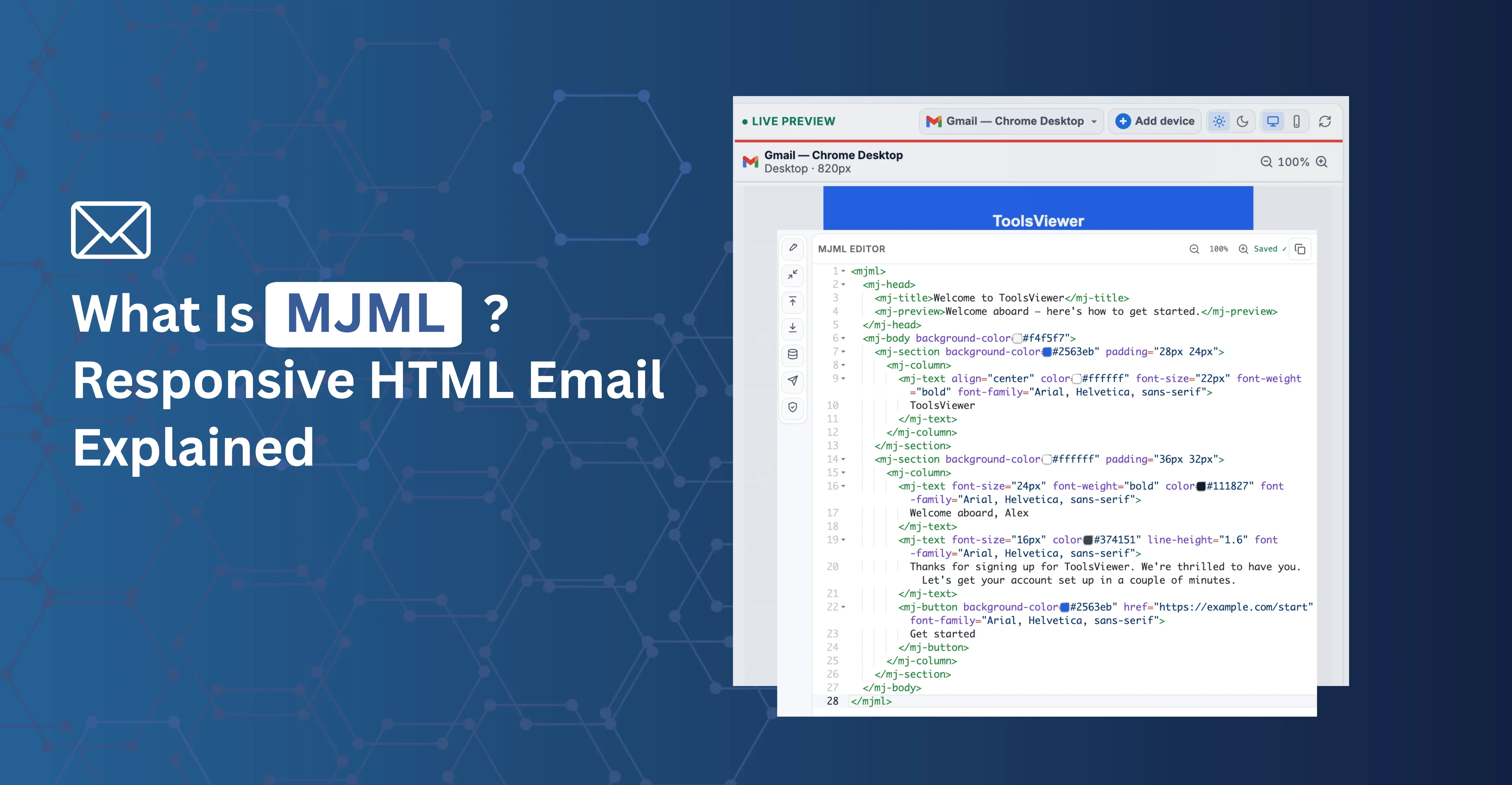
Quick answer: MJML (Mailjet Markup Language) is an open-source markup language that compiles into the complex, table-based HTML that email clients require. Instead of hand-writing nested tables and inline styles, you write short, component-based tags like <mj-section> and <mj-column>, and MJML generates the verbose, cross-client HTML for you — including the fallbacks Outlook needs.
If you've ever hand-coded a two-column email layout with nested tables just to support Outlook, MJML is the tool that removes that work. It takes a clean, readable syntax and compiles it into the hundreds of lines of table-based markup email clients actually require.
The Problem MJML Solves
Modern web layout uses flexbox and CSS Grid — powerful, maintainable, and expressive. Email layout can't rely on them, because Outlook on Windows, still common in corporate environments, uses a Word-based rendering engine that doesn't support modern CSS layout.
The fallback is table-based layout: nested <table>, <tr>, and <td> elements with inline styles for width, padding, and alignment. Writing this by hand for even a basic design produces hundreds of lines of verbose, hard-to-read markup that's tedious to update.
MJML provides a set of high-level components that compile down to the correct table structure automatically. A two-column section in MJML is three lines. The compiled HTML is fifty.
How MJML Works
You write MJML markup using components such as:
| Component | What it does |
|---|---|
| mj-section | A horizontal row in the email |
| mj-column | A column inside a section, with automatic responsive stacking on mobile |
| mj-text | A styled text block |
| mj-button | A cross-client compatible call-to-action button |
| mj-image | An image with responsive sizing |
| mj-divider | A horizontal rule |
| mj-social | Social media icon links |
MJML compiles this into standard HTML email: the table structure, VML fallbacks for Outlook, and inline styles are all generated and applied automatically.
MJML vs Hand-Coded HTML Email
| - | Hand-coded HTML email | MJML |
|---|---|---|
| Source for a 2-column section | ~50 lines of nested tables | ~3 lines |
| Outlook VML fallbacks | Written manually | Generated automatically |
| Responsive column stacking | Manual media queries per layout | Built into mj-column |
| Team consistency | Depends on discipline and review | Enforced by shared components |
| Readability of source | Low — tables obscure structure | High — closer to semantic HTML |
| Learning curve | HTML/CSS email quirks only | HTML/CSS email quirks, plus MJML syntax |
| Fine-grained custom markup | Full control | May require raw HTML components for edge cases |
Hand-coded HTML gives you complete control over every tag, which matters for highly custom layouts. MJML trades a small amount of that control for a much smaller, more maintainable source file and automatic cross-client compatibility — a reasonable trade for most recurring email production work.
What MJML Is Good For
- Responsive columns without hand-coding every breakpoint. MJML's column component automatically generates the responsive rules and table structure needed for columns to stack on mobile.
- Consistent components across a team. When multiple people write email templates, MJML components enforce consistency — the same button style, the same section padding, the same image handling — that's hard to maintain in raw HTML.
- Faster iteration. Changing a brand color, adjusting padding, or updating a heading style is one attribute change in MJML, instead of hunting through dozens of inline styles in the compiled output.
- Maintainable source. MJML source files are much smaller than the compiled output and readable by anyone familiar with HTML. The compiled HTML is generated output, not meant to be hand-edited.
Tradeoffs and Limitations
MJML is the right tool for most email teams, but it has real tradeoffs:
- CSS knowledge is still required. MJML handles layout compatibility, not design. You still need to understand email CSS limits — which properties are supported in which clients, how to write dark mode styles, how to handle web fonts — to build a high-quality email.
- Some designs need custom HTML. Complex image overlays, interactive elements like CSS-only accordions or hover states, and highly custom layouts may require raw HTML components or edits to the compiled output.
- Compiled output is large. MJML generates verbose table-based HTML. A simple email in MJML might compile to 30–50KB of markup. Watch the total file size — Gmail clips emails over roughly 102KB.
- Post-compile edits are lost on recompile. If you edit the compiled HTML directly and then recompile the MJML source, your edits are overwritten. Treat the MJML source as the canonical version and the compiled HTML as output only.
Compiling MJML in the Browser
Traditionally, MJML requires Node.js: you install the mjml package and run a compile step from the command line or a build tool. For teams with a development setup already in place, that's the standard approach.
For anyone who wants to work with MJML without a local environment — on a shared machine, a Chromebook, or for a quick test — Email Viewer includes a browser-based MJML compiler. Paste your MJML, click compile, and see the rendered HTML and a client preview immediately, with nothing installed.
After Compiling: What to Check Next
Compiling your MJML is the first step, not the last. Before sending, it's worth previewing the compiled HTML across client profiles (Gmail, Outlook, Apple Mail, Yahoo) to confirm rendering, checking how it looks in dark mode, verifying your styles survive inlining, and running through a basic pre-send checklist — links, tracking parameters, alt text, and file size. Email Viewer covers the client preview step directly in the browser alongside the MJML compiler.
Conclusion
MJML trades a small amount of low-level control for a dramatically smaller, more maintainable source file and automatic cross-client HTML email compatibility. For teams producing recurring email templates, that trade is usually worth it — the compiled output handles Outlook's table requirements and VML fallbacks so you don't have to write them by hand. You still need to understand email CSS limits for design decisions, but the layout mechanics are handled for you.
Try it without installing anything in Email Viewer, which compiles MJML and previews the result across client profiles in your browser.